Showing posts with label openOffice. Show all posts

Wednesday, November 11, 2009

Daisy books on Linux

There is very little information on using DAISY : Digital Accessible Information SYstem ( DAISY ) digital talking books on linux operating system. In this post let me introduces two programs that allows linux users to read and produce DAISY digital talking books.

AnyDAISY DAISY Book Player for Firefox

You can read DAISY books with firefox web browser using AnyDAISY extension. Its been actively developed with the help of Benetech and Mozilla foundation. AnyDAISY Firefox extenstion

odt2daisy DAISY Book Creator for OpenOffice

You can quick turn your documents into DAISY book by using odt2daisy extension. Download this extension and you can export your documents into DAISY format. odt2daisy in Openoffice.org Extension manager odt2daisy Menu option in Openoffice.org

You can also use these extenstions on other operating system too. Please try them and report problems to the developers.

Thursday, August 13, 2009

Cursor Jumps Around Screen :: Linux Annoyances

Heard lot of compliants about this strange case. The cursor seems to jump to different location on the screen while typing in OpenOffice on Ubuntu Linux laptops. I haven't faced this problem before. Perhaps checking 'Disable touchpad while typing' Touchpad setting in Mouse Preferences would fix this issue.

Ubuntu Mouse Preferences, touchpad settings

You can also use the following command to enable this setting from commandline. gconftool --toggle /desktop/gnome/peripherals/touchpad/disable_while_typing

Wednesday, April 29, 2009

Openoffice.org Spell Checking

Openoffice.org spellcheck doesn't seems to work on Ubuntu 9.04 Jaunty either. It's a well known problem that can be easily fixed but somehow it gets carried on from one release to the next. When you run a spellcheck, Openoffice immediately says that spell check is complete even when the document has mis-spelled words.
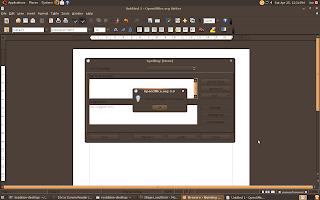
Openoffice.org SpellCheck doesn't work

Openoffice.org uses hunspell so you better check if its installed. Secondly make sure that the default language is set correctly.
# apt-cache policy hunspell hunspell: Installed: (none) Candidate: 1.2.6-1ubuntu2 Version table: 1.2.6-1ubuntu2 0 500 http://jp.archive.ubuntu.com jaunty/main Packages # sudo apt-get install hunspell Reading package lists... Done Building dependency tree Reading state information... Done The following packages were automatically installed and are no longer required: libyaml-syck-perl libftgl2 libchm1 python-chm libalut0 libindicate0 Use 'apt-get autoremove' to remove them. The following NEW packages will be installed: hunspell 0 upgraded, 1 newly installed, 0 to remove and 0 not upgraded. Need to get 91.5kB of archives. After this operation, 246kB of additional disk space will be used. Get:1 http://jp.archive.ubuntu.com jaunty/main hunspell 1.2.6-1ubuntu2 [91.5kB] Fetched 91.5kB in 2s (45.2kB/s) Selecting previously deselected package hunspell. (Reading database ... 190374 files and directories currently installed.) Unpacking hunspell (from .../hunspell_1.2.6-1ubuntu2_i386.deb) ... Processing triggers for man-db ... Setting up hunspell (1.2.6-1ubuntu2) ...

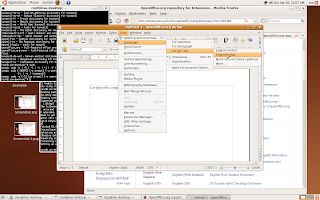
Go to Tools > Options > Language Settings > Writing Aids. Select Hunspell Spellchecker and set the default language, on my computer it is English (USA). OpenOffice.org Hunspell language options

Also make sure to do the same for all the menus under Tools > Language. Ooo Language for selection Ooo Language for paragraph Ooo Language For Text selection

Friday, December 19, 2008

Open Office.org Annoyances, Needs Java

This is perhaps the most annoying thing about Open Office.org. Why do I need Java Runtime for OpenOffice to export a document into HTML format. Duh!

OpenOffice.org writer demanding java run time envirnoment ooffice why-fs.odt javaldx: Could not find a Java Runtime Environment!

I know I heard about the Ooffice Java Controversy but do you think its a sound technical design to use Java for doing a simple thing like htmlizing a document.

Popular Posts