Showing posts with label Linux. Show all posts

Sunday, October 8, 2017

Deploying Jenkins Continuous Integration (CI) Server on Ubuntu LTS

For the past few weeks I have been helping Internet-in-a-Box(IIAB) team develop their Continuous Integration (CI) infrastructure setup using Vagrant, VirtualBox and Jenkins CI server.

Running Jenkins server from .war file might be convenient. But it is recommended to deploy GNU/Linux Continuous Integration (CI) server using these instructions.


# Add Debian package repository of Jenkins GPG key:
$ wget -q -O - https://pkg.jenkins.io/debian-stable/jenkins.io.key | sudo apt-key add -

# Then add the following entry to your/etc/apt/sources.list:
$  echo deb http://pkg.jenkins.io/debian-stable binary/ | sudo tee /etc/apt/sources.list.d/jenkins.list

# Update your local package index:
$ sudo apt-get update

# Install Jenkis server:
$ sudo apt-get install jenkins

# Start Jenkins service and verify its status:
$ sudo systemctl start jenkins
$ sudo systemctl status jenkins

# Open http://localhost:8080 in your browser and copy paste in the secret password.
# Follow the on screen instructions to create Jenkins server admin account
$ sudo cat /var/lib/jenkins/secrets/initialAdminPassword

# Open the ports 8080 through your firewall:
$ sudo ufw allow 8080
$ sudo ufw status

Adding a monit service to monitor the Jenkins server is a good idea. Monit ensures that Jenkins server is restarted automatically when it crashes.


# Create a Jenkins monitoring file with following lines with:
$ sudo nano /etc/monit/conf.d/jenkins
check process jenkins with pidfile /var/run/jenkins/jenkins.pid
    start program = "/etc/init.d/jenkins start"
    stop program  = "/etc/init.d/jenkins stop"

Also you'll need to configure mail server to send Jenkins build reports.

Friday, September 2, 2016

Testing Unity3D editor on gnu/Linux

Few days ago Unity3D editor support on gnu/Linux reached an important milestone. Thanks to efforts of Na'Tosha Bard and her team, we now have mainline beta builds of Unity3D editor for gnu/Linux operating systems. This has been my long time feature request (Kudos Na'Tosha!).

Now gnu/Linux could become a platform of choice for Indie game developers. Along with Blender for 3D characters design and game environment asset development and Audacity for game audio.

You can download the Unity3D gnu/Linux beta builds in this thread. The latest builds would be in the latest post of this thread, so don't forget to scroll down until you find that last post.


# Download the Unity3D editor .deb package using wget or torrent. 

$ wget -c http://download.unity3d.com/download_unity/linux/unity-editor-5.5.0b1+20160830_amd64.deb
--2016-09-01 19:07:08--  http://download.unity3d.com/download_unity/linux/unity-editor-5.5.0b1+20160830_amd64.deb
Resolving download.unity3d.com (download.unity3d.com)... 175.28.3.10, 175.28.3.16
Connecting to download.unity3d.com (download.unity3d.com)|175.28.3.10|:80... connected.
HTTP request sent, awaiting response... 206 Partial Content
Length: 2680067522 (2.5G), 718427586 (685M) remaining [application/x-debian-package]
Saving to: ‘unity-editor-5.5.0b1+20160830_amd64.deb’

unity-editor-5.5.0b1+20160830_amd64.d 100%[+++++++++++++++++++++++++++++++++++++++++++++++++++++===================>]   2.50G   446KB/s    in 22m 36s 

2016-09-01 19:29:44 (517 KB/s) - ‘unity-editor-5.5.0b1+20160830_amd64.deb’ saved [2680067522/2680067522]

# Install the downloaded package using dpkg program 

$ sudo dpkg -i unity-editor-5.5.0b1+20160830_amd64.deb 
Selecting previously unselected package unity-editor.
(Reading database ... 697456 files and directories currently installed.)
Preparing to unpack unity-editor-5.5.0b1+20160830_amd64.deb ...
Unpacking unity-editor (5.5.0xb1Linux) ...
Setting up unity-editor (5.5.0xb1Linux) ...
Setting permissions on chrome-sandbox...
Done.
Processing triggers for bamfdaemon (0.5.3~bzr0+16.04.20160701-0ubuntu1) ...
Rebuilding /usr/share/applications/bamf-2.index...
Processing triggers for gnome-menus (3.13.3-6ubuntu3.1) ...
Processing triggers for desktop-file-utils (0.22-1ubuntu5) ...
Processing triggers for mime-support (3.59ubuntu1) ...
Processing triggers for hicolor-icon-theme (0.15-0ubuntu1) ...
Processing triggers for libc-bin (2.23-0ubuntu3) ...

# Start Unity3D editor on command line by typing  
$ /opt/Unity/Editor/Unity


You can track various bugs in this Unity3D Linux Editor forum. There are few of well known issues, such the excessive CPU usage bug (lovely nick-named 'Spock') and here.

Please don't forget to share your experiences with testing Unity3D editor on gnu/Linux.

Saturday, July 25, 2015

Restoring Nexus 4 Factory Image

Something terribly went wrong during Android 5.1.1 Over The Air (OTA) update. The Nexus 4 mobile phone stuck in the boot loop after update. Perhaps the update failed to download the files or the device ran out of disk space. For those of you who like to debug such problems, I captured some logs for analysis with 'adb logcat' here (1,2,3,4).

Caution: Flashing a new factory image deletes all user data. Be certain to first backup any personal data such as photos.

Tools: What do you need to restore the phone?

For this tutorial I'll use a gnu/Linux computer with Android SDK Stand-alone Tools installed. We'll use the 'fastboot' program to flash the Android Nexus 4 devices with factory images from developer.android.com/nexus/images.

  1. Download Android SDK Stand-alone tools from developer.android.com.
  2. Uncompress the Android SDK to your /opt/android-sdk-linux directory.
  3. Add Fastboot to your system path
    
    $ ln -sf /opt/android-sdk-linux/platform-tools/fastboot /usr/local/bin/fastboot
    
  4. To get Fastboot working on gnu/Linux I added the follow line to /etc/udev/rules.d/51-android.rules .
    
    $ sudo nano /etc/udev/rules.d/51-android.rules 
    
    # adb protocol on mako (Nexus 4 debug)
    SUBSYSTEMS=="usb", ATTRS{idVendor}=="18d1",ATTR{idProduct}=="4ee2", MODE="$
    
  5. Restart udev service.Connect the Nexus 4 device to computer with USB cable and see fastboot can access it.
    
    $ sudo service udev restart 
    $ sudo fastboot devices
    
  6. Unlock the Nexus 4 phone (Optional step). The phone will reboot and follow the instructions on the phone screen to unlock the phone.
  7. $ fastboot oem unlock 
  8. Let's put the Nexus 4 in recovery mode so that we can flash the new factory image. You can use 'adb' command or press hold volume up + volume down + power buttons during the phone bootup.
      
    $ adb reboot bootloader
    
  9. Download the Nexus 4 factory image from developers.google.com/android/nexus/images. I have downloaded the Android 5.1.0 (LMY47O) factory image. Uncompress it the downloaded file and excute the 'flash-all.sh' script to flash the factory image.
    
    $ tar zxvf occam-lmy47o-factory-cae68e81.tgz 
    
    $ cd occam-lmy47o/ 
    
    $ sudo ./flash-all.sh 
    

Whew! That's all folks! Now you get enjoy the Nexus device with brand new factory image.

Saturday, July 18, 2015

Webmaker tools on Raspberry Pi

Last year in Bamako, Mali I watched the participants struggle with slow Internet connectivity during a web literacy WebMaker event. I thought it is very important to make Webmaker tools available offline on a local server. I started working on a custom Rasbian based SD-card image with Mozilla Webmaker tools on Raspberry Pi. The setup uses the most minimal setup without any connectivity to Internet. The Raspberry Pi Server will host Web maker tools like Thimble with some learning templates. The users could connect to the server with WiFi from their laptops or using school computers using local Ethernet connection.

The goal was to finish the project by MozFest East Africa in July, 2015 and release it for testing.

How to use Webmaker tools on Raspberry Pi?

Download the testing version of the image here. It is large 2.8GB file, it will take some time to download. In this setup I am using an older Raspberry Pi B model with 8GB SDCard with a TP-Link TL-WN322G+ USB WiFi dongle. The WiFi dongle is optional, you can connect the Raspberry Pi to your router or networking hub with an Ethernet patch cable.

  1. Download and write the image to the SD-card (Tutorial)
  2. Boot the raspberry Pi with the SD-card
  3. Connect the Raspberry Pi to your local Ethernet network. (If you have USB Wifi dongle then you can connect to 'Webmaker' WiFi network with 'raspberry' password.)
  4. On your computer, Open browser and type 'http://webmaker.local' You should see the Thimble App UI.
Webmaker Thimble running on Raspberry Pi server

Please do report any problems and bug reports!


Wednesday, May 13, 2015

Quake style drop down terminal for Gnome-Shell

Have you ever craved for Quake style drop down terminal?. In this post I'll share how to setup one on Gnome-shell desktop. Let's get started by installing the Drop down terminal extension from extensions.gnome.org. Let's test if it works. Press '~' to active the drop down terminal. Usually U assign 'Alt+F12' hotkeys on my computer. Here is the video of drop down terminal in action.

Let's customize the drop down terminal to launch in full screen mode. In the extension preferences I have set the terminal height to 800px. You have play around with transparency settings to show the underlying windows.

Gnome-shell Drop down terminal extension settings

Another good customization is to launch tmux. You can do this by setting custom command to run instead of launching the default shell.

That's it folks! Now you can enjoy the Quake style drop down terminals on Gnome-shell. Here is video of my setup.

Friday, December 26, 2014

Server Monitoring with Monit Tutorial

As you sit down for a lovely Christmas dinner with family and friends, your phone rings. The frantic client is on the line shouting that the server just went down. Don't you wish you had a helpful program that automatically monitors and restarts the servers automatically.

Monit is an open source process supervision program that monitoring your server processes and restarts failed services. It is easy to setup and relatively painless to use.

Here is a quick tutorial to configure Monit to monitor Apache and MySQL servers.


$ sudo apt-get install monit 

# Monit Configuration settings
$ sudo nano /etc/monit/monitrc 
  set daemon 60 
  set logfile /var/log/monit.log
  set idfile /var/lib/monit/id
  set statefile /var/lib/monit/state
  set eventqueue
  set httpd port 2812 and
   use address localhost
   allow localhost
   include /etc/monit/conf.d/*

# Create Apache2 monitoring file 
$ sudo nano /etc/monit/conf.d/apache2 
check process apache with pidfile /run/apache2.pid
    start program = "/etc/init.d/apache2 start" 
    stop program  = "/etc/init.d/apache2 stop"


# Create  MySQL monitoring file
$ sudo nano /etc/monit/conf.d/mysql 
check process mysqld with pidfile /var/run/mysqld/mysqld.pid
    start program = "/etc/init.d/mysql start"
    stop program = "/etc/init.d/mysql stop"

# Check monit configuration for syntax errors 
$ sudo monit -t 


# Start Monit daemon
sudo service monit start 

# Check Monit status 
$ sudo monit status
The Monit daemon 5.3.2 uptime: 4m 

Process 'mysqld'
  status                            Running
  monitoring status                 Monitored
  pid                               2676
  parent pid                        1
  uptime                            4d 8h 1m 
  children                          0
  memory kilobytes                  256380
  memory kilobytes total            256380
  memory percent                    12.5%
  memory percent total              12.5%
  cpu percent                       0.0%
  cpu percent total                 0.0%
  data collected                    Wed, 10 Dec 2014 08:43:13

Process 'apache'
  status                            Running
  monitoring status                 Monitored
  pid                               4230
  parent pid                        1
  uptime                            4d 8h 1m 
  children                          27
  memory kilobytes                  11556
  memory kilobytes total            391484
  memory percent                    0.5%
  memory percent total              19.1%
  cpu percent                       0.0%
  cpu percent total                 0.0%
  data collected                    Wed, 10 Dec 2014 08:43:13

System 'system_foobar.org'
  status                            Running
  monitoring status                 Monitored
  load average                      [0.00] [0.01] [0.05]
  cpu                               0.0%us 0.0%sy 0.0%wa
  memory usage                      666736 kB [32.6%]
  swap usage                        140 kB [0.0%]
  data collected                    Wed, 10 Dec 2014 08:43:1

That's all folks! Now you have a wonderful Christmas!

Sunday, October 26, 2014

Gnome 3 Massive Title Bar Solution

Upgraded to Ubuntu 14.10 (Utopic Unicorn) this weekend. The upgrade process went without a hitch and latest Gnome 3.12 desktop experience is good except for this massive title bar issue. Reblogging Mikey's solution for this minor Gnome 3 annoyance. Thanks Mikey!.


$ sudo sed -i "/title_vertical_pad/s/value=\"[0-9]\{1,2\}\"/value=\"0\"/g" /usr/share/themes/Adwaita/metacity-1/metacity-theme-3.xml

Gnome 3 Desktop screenshot image with large title bar

Before

Gnome 3 Desktop screenshot image with normal title bar

After


Reported the bug, Please feel free to track the bug #1385597 and provide your feedback.

Saturday, October 18, 2014

Node.js Version Manager (nvm) Alternative Node.js installation on gnu/Linux

The Node.js packages distributed by gnu/Linux distributions tends to be out of date. If you looking for an alternative method for installing Node.js on gnu/Linux. Then Node Version Manager (nvm) is a good choice. This simple bash script lets you install and manage multiple active node.js versions.

You can download Node Version Manager(nvm) from the projects github page. Digital Ocean community site has a good getting started tutorial for Node Version Manager (nvm).

Installing Node.js Version Manager (nvm)


# Download and the installation script
$ curl https://raw.githubusercontent.com/creationix/nvm/v0.17.2/install.sh | bash

# Activate nvm (You might want to add this line to your .bashrc or .profile file)

$ source ~/.nvm/nvm.sh 

# Discover other installable versions of Node.js 
$ nvm ls-remote 

# Install the stable version of Node.js 
$ nvm install v0.10.31

# Install another version of Node.js
$ nvm install v0.11.13

# Check the installed versions of Node.js 

$ nvm ls 
->  v0.10.31
    v0.11.13
      system

# Use v0.10.32 version of npm 
$ nvm use v0.10.31 

# Run using particular version Node.js 

$ nvm run 0.11.13 

# Alternatively use Node.js installed by your package manager 
$ nvm use system 

Saturday, May 31, 2014

Skype Audio Quality Issues in gnu/Linux

Skype is an essential tool for a digital nomad. In some versions of gnu/Linux, you'll notice considerable audio quality issues and disturbance (white noise) in Skype. Had to resort to using Skype on Android until I found this solution on Skype community forum.

Run this command in the terminal to start Skype. You'll notice significant improvement in the audio quality.


$ PULSE_LATENCY_MSEC=30 skype

Happy Skyping!


Thursday, February 20, 2014

Sugar Learning Platform

Last weekend I attended the Vietnam Tech Conference 2014 in Hanoi. The event brought together educators from across south east asia to learn and share about the use of technology within the classroom.

My talk introduced the Sugar learning platform that was developed for OLPC laptops. Designed from the ground up especially for children. Sugar User Interfaces moves away from traditional 'desktop' metaphor. It makes collaborative learning a fun experience. There are numerous activities that promotes self-learning.


What is Sugar on a stick?

Sugar on a Stick is a Fedora® Spin Live USB operating system featuring the award-winning Sugar Learning Platform and designed to fit on an ordinary USB thumbdrive ("stick").

It will run on any recent x86-based computer that can boot from a USB stick (check the BIOS settings if it doesn't work straight away). This includes most Windows and Linux PCs and x86 Macs.

You can use SoaS to demo Sugar almost anywhere without disturbing the contents of the computer you use, and if people like what they see, you can install Sugar on a Stick to their hard drives or other sticks from the demo stick.

Learn more about Sugar on a stick here.

Monday, January 28, 2013

Speeding Up Software Rebuilds with CCache

Software developers who routinely rebuild large projects would love ccache. Ccache is a compiler cache. It speeds up software rebuilds by caching the result of previous compilations and detecting when the same compilation is being done again.

I use ccache when compiling Linux kernel, Debian/Ubuntu packages, GNOME applications, Mozilla Firefox, FirefoxOS and Android operating system. You could enable ccache by prefixing ccache to your compilation command or update your system path to include ccache.


# Add the following line to your ~/.bashrc file 
export PATH=/usr/lib/ccache:${PATH}

Alternatively you could create symlinks in ~/bin directory. GNOME 3 jhbuild documentation provides a bash script for this purpose.


cd ~/bin
for cmd in cc gcc c++ g++; do
  ln -s /usr/bin/ccache $cmd
done

To take advantage of ccache while building Mozilla Firefox, append the following line to your .mozconfig.


ac_add_options --with-ccache

If you are compiling Android(ASOP), CyanogenMod or Firefox OS. Android build system includes the ccache program, set the USE_CCACHE environment variable to enable ccache.

$ export USE_CCACHE=1

Further more in-depth information, read the ccache manual page. Please do comment and share your experiences using CCache.


Friday, July 13, 2012

GNOME Asia Summit 2012, Hong Kong


The city of Hong Kong hosted the Gnome Asia Summit this year. GNOME is a popular open source desktop environment for gnu/Linux Operating System. This annual event attracts people from diverse open source communities across Asia.

GNOME Asia Summit kicked off with the pre-event GNOME Design Workshop. The workshop helped GNOME contributors and developers understand GNOME environment design process. The workshop was intended for novice and experience UX designers, graphic artists and experienced desktop users.

Arky interacting at GNOME-Asia 2012, Photo Credit: Sammy

The usability of the Open Source desktop environments has always left something to be desired. The keynote talks at the event delivered by GNOME Developers were very interesting. The GNOME community which was mired by conversation and dissent. Recently the developers revamping the software under the 'Every Detail Matters' initiative. Efforts to bring new UX paradigms into GNOME are also in full swing. Check out the GNOME team mock-ups here.

3D software used to create eye-popping prototypes. Don't believe me, check out this YouTube video Channel.


Graphical User Interface's visual elements such as icons, graphics are being re-designed. You can look at the latest icon theme from the GNOME project here. Graphic designers can use Inkscape and Blender to create high-quality visual graphices. You can download the basic symbolic gnome icon set from here.

In the last few years, Javascript programming language had become very popular. Today applications written in Javascript are just as fast as native applications. Gnome-shell window manager is written using Javascript, thanks to GObject Introspection libraries such as Gjs and Seed. This means you can use your web development skills to enhance and extend your GNOME Desktop functionality.

The Gnome-shell add-ons is integrated closely with the Gnome Extensions service. It lets you share your extensions easily, search and enabling new features is a breeze.

The summit also featured talks related to teaching Open Hardware concepts, Gnome Accessibility, Community development and Gender equality in Open Source communities and Localization tools and GNOME predictive text input system


Wednesday, October 6, 2010

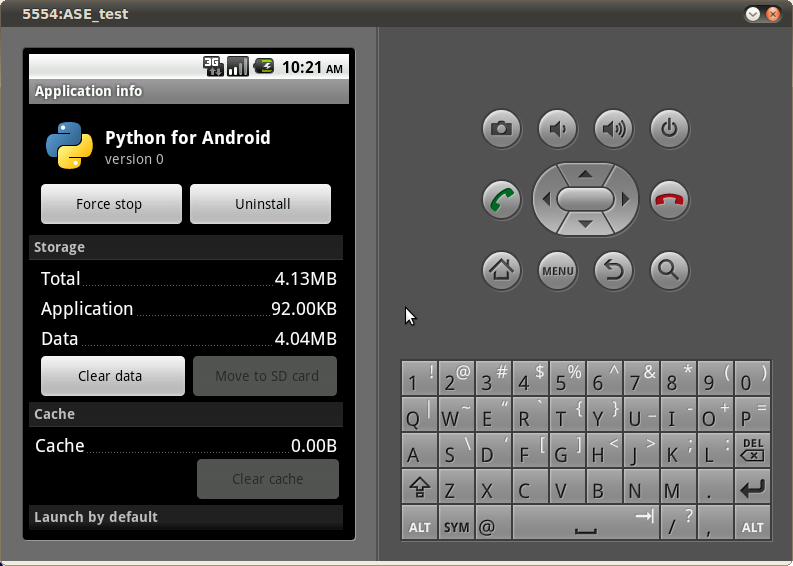
Installing Python on Android

Had left the Openmoko Linux phone and aging Nokia N70 back in India. Now I travel with a basic model phone, do miss hacking phone.

This morning I decided to change all that. Checking out Python Scripting Layer For Android using the Android SDK. My Nokia also ran Python S60 until the project lost wind. Getting the android environment on Ubuntu was easy thanks to Eric's tutorial


Saturday, August 7, 2010

Nortec SurfBoard Running Ubuntu 10.04

Just heard that Lekan got the SurfBoard running ubuntu 10.4. The video shows Google Chrome running Youtube videos. The video perform flawlessly in fullscreen mode.

The SurfBoard is an ultra low-cost, energy efficient computer keyboard selling for only $119.95. Ideal for classrooms, thin clients, hotels, banks and anywhere else where an energy efficient, silent, low cost computer can be used.

Saturday, March 20, 2010

Dots braille editor for Linux

Dots is braille typesetting program for gnu/Linux, it can translate XML and MS DOC files and displays it both ASCII and braille dot notation. Dots is in very early stage of development and not as feature rich as commercial braille editors like WinBraille and Duxbury DBT.

The Dots braille editor is available on Debian Sid and Ubuntu Lucid, however it has loads of bugs. I patched few bugs and managed to get it working and save the translated document in .brl format. (see LP: #541721). You can view the screenshots of the program in action below.

Dots braille typesetting program import assistant dialog Dots braille typesetting program Import a file Dots braille typesetting program Translation dialog Dots braille typesetting program output format dialog Dots braille typesetting program configuration summary Dots braille typesetting program ASCII view Dots braille typesetting program Braille View

Tuesday, February 9, 2010

State of gnu/Linux Accessibility

Joanie's post sparked more conversations on gnu/Linux Accessibility. Here are some of the views expressed some of members of gnu/linux community.

Over the years, great progress has been made in the accessibility of GNOME. Using Orca, I am able to navigate around GNOME applications and Firefox. This has been made possible through a collaboration between engineers at Sun and dedicated volunteers (or perhaps "a dedicated volunteer" would be more apt). Engineers working on Firefox have also spent significant amounts of time ensuring that Gecko exposes the information that access technologies such as Orca need to represent web pages. This collaboration has been a blessing for the community and has allowed people with disabilities to productively use GNOME. On January 29, however, Will Walker, the lead Orca developer, was laid off by Oracle, and so now there are no more paid Orca developers. This was a continuation of what has been an over-all trend over the last couple of years in which companies have pulled funding from open source accessibility projects. I am concerned about the potential implications for the future if some sort of funding structure is not established.
on the state of open-source accessibility by Mike

As many of you may have heard, from blogs by Eitan, Mike and Joanie, as well as an e-mail to the gnome-foundation-lists by Fernando, the Gnome a11y community is having a tough time.

I have been interacting with the a11y community for over two years now, and in that time the funding situation has never looked good. I do not wish to insult or demean companies that are no-longer involved in funding Gnome a11y. Companies and individuals have their own priorities that they must follow. Work they have done in the past on Gnome is very much appreciated by me, even if they cannot continue that work in-to the future.

Funding Gnome a11y by Mark Doffmans

I have been on the road for the last two weeks. Headed back to Seattle tomorrow after a great FOSDEM in Brussels.

While on the road I have heard all sorts of news regarding GNOME accessibility, none of it good. I am angry, I feel like blaming somebody or something, but I am not sure what. Right now I am directing my frustration towards academics who still have funding to continue various assistive technology research that will probably never see the light of day as a usable application while the real bread and butter of an accessible platform is being taken away. It’s reflexive, I know it. Maybe later I will have a clearer picture of how we move forward.

GNOME accessibility, don’t take it for granted by Eitan

As you all probably know, Oracle recently bought Sun. Sun has been one of the largest contributors to the GNOME project during the last years. Probably is too early to know how this is going to affect GNOME project. However this last week we have seen some relevant events: Oracle laid off two members of the Sun's Accessibility Program Office.
e-mail to the gnome-foundation-lists by Fernando

Monday, February 8, 2010

An Open Letter to Oracle on the Topic Of Accessibility

Dear Oracle: You don't know me, so please permit me a brief introduction: I'm Joanie. By day, I'm an assistive technology specialist working with individuals who are blind or visually impaired. By night, weekend, and holiday for almost four years now, I've been a GNOME community contributor working primarily on the Orca screen reader, a project led by Sun's Accessibility Program Office. Working with the engineers at Sun, both inside and outside of the APO, has been an honor for a variety of reasons, not least of which is our shared common belief: Access isn't a privilege; it's a right. Towards that end, Sun Microsystems strived to ensure that ALL users have access to software and information.
Read More

Thursday, January 7, 2010

Free software and the Blind: The IISE Experience

Abstract
The challenges and experiences of adopting GNU Linux at Braille Without Borders - International Institute for Social Entrepreneurs (IISE). Linux is non-commercial operating system developed by the world wide Free/Libre Open Source Software (FLOSS) community. Driven by the values of freedom and sharing of software, it is one of biggest volunteer effort to develop alternatives for commercial software. The easy to use Linux operating system is stable, secure, accessible, virus free and available in almost every language of the world.

The visually impaired participants of IISE are introduced to Linux and given laptops with Orca Screen reader. They are encouraged to participate and contribute by providing feedback on various accessibility and usability issues. Using Linux resulted in huge cost saving and it is used extensively in running campus Intranet and Internet connectivity. The benefits of adopting Linux were apparent despite some of the shortcoming of Linux assistive technologies. Working closely together the FLOSS developer community enabled us to resolve some of problems and helped make Linux better for blind everywhere.

What is FLOSS?

Linux operating system is developed by the world wide FLOSS (free/libre open source software) community. The FLOSS community of users and developers does collaborative development via the Internet. Anyone can contribute by finding and fixing software defects, suggest improvements, write documentation and translate software into different languages. The developers release an improved version of Linux every 6 months. Linux can be installed and configured by the visually impaired independently from sighted assistance.

What is IISE?

Braille Without Borders is a non-profit organization focuses on empowerment of the blind and partially sighted around the globe. Last year it has started International Institute for Social Entrepreneurs (IISE) in Kerala, India. The institute offers a one-year residential course for mainly blind and visually impaired participants from all over the world. The course imparts the necessary skills needed to initiate and run social projects to create opportunities for the disadvantaged. The FLOSS community is driven by values of freedom and sharing of software is apt choice for an organization that strives for social empowerment. The project uses Ubuntu Linux distribution as its main operating system and along with Orca screen reader.

The Challenges

Perhaps the biggest challenge was addressing the misconceptions about Linux. Being free in many people's opinions, means it cannot be stable and usable. Also people who used other operating systems and commercial screen readers would resist the change. After few weeks of training the participants started to open up and slowly became more comfortable using Linux with Orca screen reader. Given that Linux is virus free and wouldn't crash often also worked in its favor.

The Orca screen reader is slower and not as responsive as commercial screen readers. The voice quality of the FLOSS text to speech (TTS) leaves much to be desired. We are working closely with the developers to improve it and find workable solutions. The Orca screen reader is in active development, the new release supports Grade 2 Braille and uses a new speech system that improves its performance.

The Linux Advantage

There is huge saving of cost as there is no need to purchase licenses for an operating system and assistive technologies. Linux gives high performance on inexpensive hardware and there is no need for hardware upgrades to run newer software. Linux has a blind-friendly installation and most administration tasks can be done with a screen reader. It comes with large documentation and FLOSS community also offers online support.

Linux has a large number of software programs to choose from. It has everything you need from word processing software, spreadsheets, multimedia players and server software needed to run local Intranet. The IISE campus network runs various Linux servers for network management and Internet connectivity.

Bridging the Gap

The IISE encourages participants to engage with the FLOSS community in order to avoid becoming a passive consumer of software. This enables the visually impaired to influence and customize Linux to their needs. Apart from computer trainers, we had developers on campus who would ooeer a helping hand. The FLOSS developer community online provided quick fixes to various problems and gathers feedback about the needs of the visually impaired. By providing the users with the latest release of software, we found that they were quick to point out potential accessibility and usability issues. Thus we were able to do comprehensive testing of the operating system and improve it for every blind person around the world.

Conclusion

In all, Linux offers a win win situation being a sustainable alternative to commercial operating systems. Non-profits and institutions can benefit from its huge array of software. Problems do exist but can be addressed with the help of the FLOSS community. It is important to avoid being passive consumers of FLOSS software but be more proactive. We feel that the IISE experience can be a viable model that's worth emulating.

Paper published by Rakesh 'arky' Ambati in National Conference on ICTs for the differently- abled/under privileged communities in Education, Employment and Entrepreneurship (NCIDEEE 2009)

Monday, December 7, 2009

Documentary on Rural Internet Kiosks in Africa

Few hours ago I heard that my friend Jawahar Patani finished the documentary about Rural Internet Kiosks(RIK) project. I have been helping this project for while now. I hope that this documentary would spread the word about this wonderful initiative.

Please visit www.ruralinternetkiosks.com to learn more about this project.

About the Documentary

This short documentary features ICT development in Africa with emphasis on how the Rural Internet Kiosk (RIK) is changing the way rural Africa communicates. The Rural Internet Kiosk is 100% solar powered and is connected to the Internet via Satellite using Astra2Connect VSAT technology.

You can watch the part 1 and part 2 of this documentary on youtube.


Saturday, November 14, 2009

Loads of Linux Ideas

Its scrabble night. Now it is Isabel's turn to play. This word is for arky and she forms the word 'linux' on the board. :) Scrabble with letter spelling linux

Popular Posts