Sunday, December 29, 2013

Drone Technology in Social Projects

Amazon plans to use drones for making deliveries. They are not the first to use drones for transport of materials. Oppikoppi music festival attendees can order a beer using a mobile phone app. The DarkWing Beer Drone use the mobile phones GPS location to drop a beer straight into their hands or mostly onto their heads. Made this video of the beer drone demo at Tech4Africa 2013.


The unmanned aerial vehicle (UAV) commonly referred as drone will be more prevalent in the future.The United Nations (UN) is deploying drones in Congo. The cost of this technology is still prohibitively high. But social projects such ConservationDrones.org are trying to bring down the cost by using Open Hardware and Open Source Software. They are already using drones for field surveys in Indonesia. You can learn more about Conservation Drones here.


Do you know of any interesting use of Drones in social projects. Please do share it by leaving a comment below.

Wednesday, December 25, 2013

Auto-Refresh Your Twitter Feed With Firefox Add-on

Pleasantly surprised to see my Firefox add-on mentioned on Mashable.com story Auto-Refresh Your Twitter Feed With These 2 Useful Tools. The add-on automatically loads new tweets as they appear without any user intervention. You can also use this add-on to display continuous real-time feed of tweets on a large screen or digital projector.


I had written this add-on during MozCamp Warsaw last year. I observed my fellow participant constantly clicking a button to reveal new tweets on Twitter.com. Using Add-on SDK I automated this tedious process. Add-on SDK allows developers to enhance the functionality of Firefox web browser using JavaScript. I love to use Add-on SDK to create such duct-tape solutions for Internet annoyances.

Sunday, December 22, 2013

Draw Electronic Circuits with Conductive Ink

To bring electronic circuits to life by drawing them is an amazing experience. You can use the good old pencil on paper. Bare Conductive developed a non-toxic paint to draw electronic circuits on any surface. You can pick up a tube of Bare conductive paint at your local RadioShack.

Andy tweeted this Circuit Scribe Kickstarter project that lets you create circuits with a conductive ink pen. Things just got interesting. :)


Wednesday, December 18, 2013

DIY Streetview Videos with GoPro

Walking through the Taipei National Museum, I noticed this interesting rig with six GoPro cameras mounted on a monopole. Asked the owner about the project, he mimed 'I am taking 360° videos of the palace grounds'.

Back at the hotel I searched for more information about this DIY project. Perhaps it is similar DIY-Streetview.com camera system.

Six GoPro Camera on a monopole

Please do leave a comment if you have any information about this project. :)

Sunday, December 15, 2013

Joby GripTight tripod mount for Smart Phones

Continuing my blog series about interesting accessories for your smartphone. Did you ever want to make shake-free photographs and videos with your smartphone. The $20 Joby GripTight Mount connects your smartphone onto any tripod to provide a stable shooting platform. You can also use the smartphone headphone button as cable release. This gadget is great for smartphone photographers and video bloggers. To learn more watch GripTight mount videos on YouTube.


If don't own a tripod, then try to buy GripTight Gorillapod Stand. They make wonderful Christmas gifts too.

Wednesday, December 11, 2013

Turn your old iPod speakers into wireless speakers

Do you have one of these portable iPod speakers in your home. In this post I'll shared an idea that lets you play music straight from iPhone or Android device. You can pick up this $25 GTI Bluetooth Adapter from Frys. The device plugs into iPod connector on your portable speakers and receives music via Bluetooth A2DP. Similar Bluetooth receivers that connect to aux-in ports are also available.

ipod sound dock front view

The idea emerged while helping a friend re-design hotel rooms for tech savvy business travelers. Found these inexpensive Bluetooth A2DP receivers to reuse the existing iPod dockable clock speakers in the hotel rooms. Perhaps NFC is a better choice but right now there only few mobile phones with NFC support.


Sunday, December 8, 2013

Kinect-Powered Interactive New Media Installation

During the recent visit to Taipei, I visited the famed National Palace Museum. The Qian Long Chao new media art exhibition featured this Trees of colors interactive installation powered by Kinect. The installation detect the visitors dress color and decorates the Qianlong vase accordingly. You can view the video on Youtube.


Thursday, December 5, 2013

Mozilla Taiwan Localization Sprint

Last week I traveled to Taipei for localization sprint with Mozilla Taiwan community. The community translates various Mozilla projects into Chinese (Traditional)(zh-TW). The goal of a localization sprint is to bring together new and experienced translators under one roof. Such events help promote knowledge sharing through peer learning and mentor-ship. Special thanks to Michael Hung, Estela Liu and Natasha Ma for making the Mozilla space available and inviting by providing Pizzas.

The event began with a short introduction to localization by Peter Chen, followed by a brief overview of various translation projects such as translating Mozilla Support (SUMO) by Ernest Chiang, translating Webmaker by Peter Chen, translating addons.mozilla.org by Toby, translating Mozilla Developer Network(MDN) articles by Carl, translating Mozilla videos with Amara tool by Irvin and translating Mozilla Links by Chung-Hui Fang. The speakers then organized participants into topic specific working groups, based on each individual's interest.

Arky at Mozilla Taiwan localization sprint

It was interesting to see how people used various tools such as Narro, Pootle, Transifex and even Google Docs for translation. It gave me an opportunity to observe and note some of the potential problems in the translation process. At the end of the day, everyone gathered to share and present their group's work. The also took time to answer question that participants had. All in all it was a very productive and enjoyable event. Mozilla badges were issued to recognize the participants' contributions.

Check out the event photos and etherpad for additional details. The Mozilla Taiwan community will continue to translate during their weekly MozTwLab meetups and a follow-up event is planned for the sprint 2014.

Saturday, November 30, 2013

Understanding Accessibility for Web Developers (Video)

People with disabilities are your users too. Why not spend 20 minutes to learn accessible web design today. Watch Katie Cunningham talk about disabilities and making websites for everyone. I'll also recommend reading her Accessibility Handbook to learn more about making your website accessible to people with disabilities.

Making Websites for Everyone - Katie Cunningham


Katie Cunningham's talk: Making Websites for Everyone at jQuery Conference Portland 2013. View it on Youtube.


Tuesday, November 26, 2013

Vietnamese Language Tools: Developing Keyboards and Spell-checker

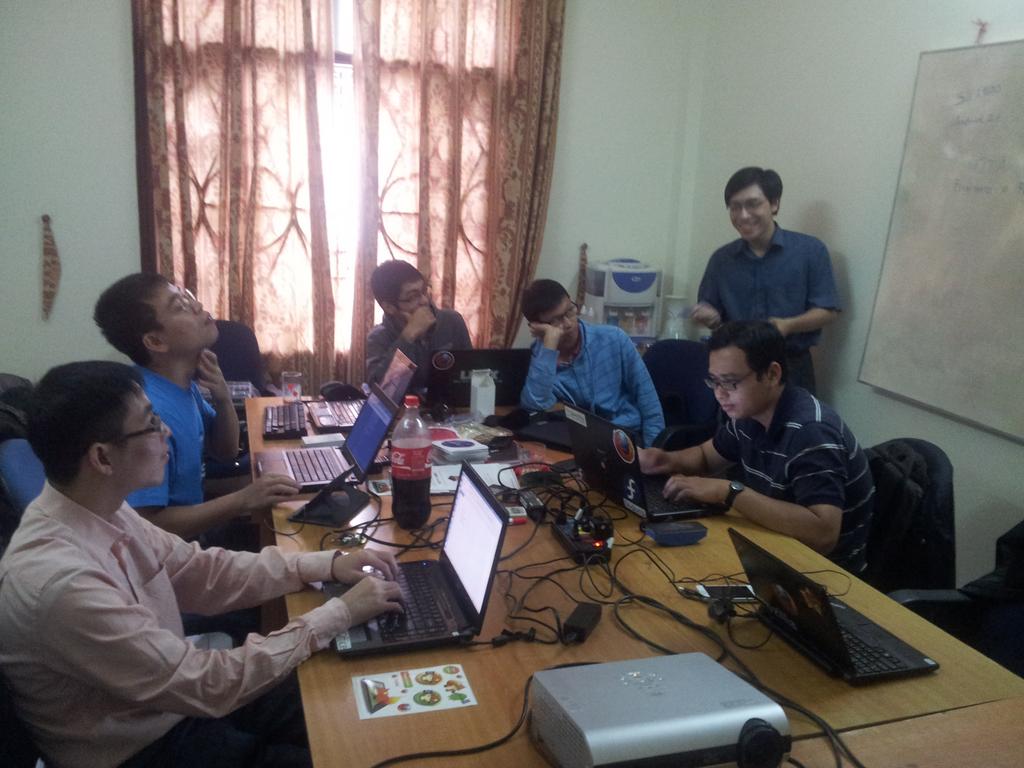
Mentoring Mozilla Vietnamese localization team to develop Vietnamese keyboard and spell checker for Firefox OS. We built and tested Vietnamese keyboard during Mozilla Vietnam L10N sprints in Hanoi. We will integrate this into Firefox OS after Mozilla UX team improves the keyboard design to accommodate large set of alternative character keys.

Lewtds created Vietnamese spell checker using the Ho Ngoc Duc's word list. The Vietnamese language processing work is very limited. We haven't found any good data to that create a frequency list for the Vietnamese spell checker. Any pointers would be much appreciated.

Please read the Mozilla FirefoxOS keyboard documentation to learn more about developing keyboards in your language.


Wednesday, November 20, 2013

Toshiba NB200 Netbook won't boot up

My Toshiba NB200 netbook freezes on BIOS splash screen. Looks like the netbook was shipped with a faulty motherboard. Unfortunately I can't do BIOS update as suggest in this post. Removing the Hard drive, RAM has no effect.

Am not ready to throw away the laptop. Wonder if anyone has a better solution.


Saturday, September 21, 2013

Google Apps Script for Google Sites

Google Apps Script started as functions for Google Spreadsheets. Today Apps Scripts have evolved into powerful development environment for extending Google Apps. Google Apps Scripts are written in JavaScript programming language.

Last week I attended the Google Apps For Education Summit in Hanoi. The event featured few tutorials about Google Apps Script. It seems that there is a need for simpler tutorials for teaching Apps Script programming.

Earlier this year I wrote these Google Apps Scripts Web Apps to fetch a RSS feed or web page, parse it and display its content. You can embed these Apps Script as gadgets in your Google Sites pages.

The more technically savvy readers will find the example code helpful in learning user interfaces(UI) development with Html Service and Ui Service. You might also want to read XML parsing with Google App Scripts tutorial as well. Please do refer to latest Google Developer documentation as Apps Script API change over time.

Daily Buzzword Google Apps Script

Google Apps Script to parse and display wordcentral.com's Daily Buzzword RSS feed.


Web App URI: https://script.google.com/macros/s/AKfycbwi3vmklN73Al0tXrtQIvfzwl6G3cGOBsTrY-0s1XQvN-zUhLw/exec | Source Code: https://github.com/arky/DailyBuzzword-AppScript

Daily Words Google Apps Script

Google Apps Script to parse and display wordsmith.org A Word A Day RSS Feed


Web App URI: https://script.google.com/macros/s/AKfycbwbMrEhTkn-E3gqAMu7aS5PoMAOHYD62BnGpZFTGPxAY8aCsYW4/exec | Code: https://github.com/arky/awad-AppScript

How to add Apps Script Gadget in your web page?

First go to the page you want to add the Apps Script gadget. Select Apps Script item under Insert menu. In the next dialog box, copy and paste the Apps Script Web App URI into the provided textbox and choose select. The Apps Script Gadget will appear in your webpage.

Saturday, August 17, 2013

Micro USB Host Mode OTG Cable for Samsung Mobile Phones

In this blog I talk about technology world as built. Android phones are most selling smart phones all over the world. These phones and tablets are increasingly used for watching videos and listening to music. Transferring multimedia content on to your device is painful. The software tools made by phone vendors such as Samsung Kies have problems. Android MTP and Bluetooth software leaves a lot to be desired, making large transfers fail intermitingly. Developers like me use command-line MTP tools or use Android SDK's ADB program for transferring files.

For everyone I suggest buying a OTG cable that makes life easier. This cable allows you to connect USB devices to your phone and transfer files with ease. I brought this OTG cable in Hong Kong for $15 HKD (about US $2). Tested this cable with Samsung Galaxy S2 mobile phones running Android Gingerbread and Jellybean with couple of 8GB USB drives.

Photo of Samsung OTG micro USB cable box

You might need to install a file browser like ES File Explorer File Manager app on your phone to easily navigate to attached USB device and copy files to internal memory. You can watch the video of below.

You can pick this OTG cable in your local computer store or order one from Deal Extreme (dx.com). For more other interesting Samsung phone accessories have a look at Samsung Galaxy S2 Accessories For Presentations post.

Wednesday, July 10, 2013

Winning Djangojet Photo Contest

Summer sun shines on the green meadow full of dandelions and the huge Djangocon circus tent. The fantastic setting of this conference had one flaw. The roar of airplanes from the nearby airport overhead.

The ever creative conference organizers announced a photography contest dubbed 'Djangojet'. The contest required us to capture the picture of Jet planes and share it on instagram with #djangojet hashtag. My photograph bagged the prize.

Djangojet Photo Contest Winner

I took this picture with Samsung Galaxy S2 smart phone while waiting in line for lunch. It captures the people enjoying the sunny day around the Django circus and the airplane in the bright blue sky.

You don't need fancy camera to take a good picture, your smart camera phone can do the job well. The composition and the story makes a good photograph.

Saturday, June 22, 2013

Efforts continue to promote Firefox Maithili

Maithili is the native language 34.7 million people in Northern India and Eastern Nepal. In college I would try to follow the friendly banter in Maithili listening for similar sounding words in Hindi. It was only later while working on computational linguistics that I truly appreciated the richness of the Maithili language.

Firefox Maithili was released last year, making it 78th language to be added to Mozilla localization. The challenge of localization does not end after translating and shipping Firefox.Today Mozilla Maithili Localization team continues their efforts to promote Firefox Maithili by organizing workshops.

Maithili is not only a language, it is also a source of rich wisdom – Mr. Ajay Kumar Jha

On 29th May 2013, Mozilla Firefox Maithili workshop was organized by community of Maithili Computer developer working under Bhasha Ghar, a group of volunteers working for small languages having less resources. Mozilla Firefox Maithili workshop was a full day workshop where the community working with Mozilla along with some experts of Maithili language sat together to discuss the issues and challenges related to Firefox Maithili.
Read the complete Mozilla Firefox Maithili Workshop Report May 2013

Wednesday, June 12, 2013

African Network For Localization (ANLoc) Conference 2013

Traveled to Johannesburg, South Africa, to attend African Network For Localization (ANLoc)'s Terminology and Localisation in Africa and Beyond Conference earlier this year. It gave me an opportunity to learn the history of African languages in cyberspace and meet the people behind various multilingual initiatives. The conference brought together language professionals, academics and open source developers to learn about terminology development and localization platforms.

Language is the key for unlocking the potential of Africa. The African Network for Localization (ANLoc) is a non-profit that supports African language technology development. The ANLoc partners were instrumental in the numeration and standardization of 100 African languages. The ANLoc partners and sub-projects developed Unicode fonts, keyboard input systems, translation tools and terminologies for African languages. They also devised training programs for building sustainable volunteer driven localization communities.

The conference featured technical talks, break-out sessions and brainstorming sessions. There were in-depth discussions on the various facets of multilingualism in cyberspace in context to African languages, the challenges of translating computing terms in African languages, the use of machine translation methods and the development of linguistics resources such language dictionaries and terminologies. The conference organizers maintained a good balance of discussions, along with practical hands-on workshops. The size of conference made interactions easier. It was good to meet Mozilla localization contributors from over 10 African languages during this event.

The African Network For Localization (ANLoc) conference group photo

ANLoc's project localized widely used open source Mozilla Firefox web browser in many African languages. The ground realities of mobilizing and sustaining communities in Africa are apparent. Finding contributors is difficult. Most contributors refrain from volunteering due to economic reasons. The overall economic development and access to digital technologies is limited to few regions in Africa. The availability of Internet has improved but the cost is still prohibitively high. I shared my community building experiences from similar resource constrained environments across the world.

Participated in break-out sessions on developing style guides for localization and Mozilla localization processes.
The FirefoxOS localization sprint was organized as part of the event. The localizers worked in groups to translate Mozilla FirefoxOS mobile operating system using Pootle web translation platform.

FirefoxOS localizations in African languages
Developing localization style guides workshop

Talked about Android Internationalization and adding African language fonts and keyboard support to Android. Android currently supports few major African languages: Swahili, Amharic, Zulu and Afrikaans, but more African language coverage is needed. Cheap Android devices are flooding the African market. Today, the first internet experience for many is not on a desktop computer but on mobile phones. Mobiles play a great role in accessing information and even transfering money.

The brainstorming sessions were very interesting. The problems discussed were both at an economic and social level. These problems are similar in nature to the countries where I have been working for the past few years.

The lack of availability of African local content on the internet was a major hurdle. The African diaspora spread across the world and few local governments and non profit organizations were involved in developing local language content. The tide seems to be turning now, with increasing availability of the Internet on mobile phones. Social media and user generated content is now bridging the gap.

ANLoc Brain-storming Session on african languages

This conference gave me a framework for my future activities in Africa. I'll be traveling to East Africa to participate in Tech4Africa Nairobi Tech Day and organize localization hackathons. Such events will help us work on Mozilla Firefox in some of the major languages and help build sustainable Mozilla communities in Africa.


Friday, May 17, 2013

Mozilla Localization Makes a Positive Social Impact

Mozilla brings power of the web into ordinary people's hands. Every day I spend countless hours working with volunteer communities around the world to translate Firefox web browser. Reading Sudheesh Singanamalla's blog post about his encounter with a farmer in rural India was such a touching experience.

A Localization journey - A Farmer's tale - A Delightful Experience

It was on my way back in a cramped out bus, travelling researching about language changes and variations within the state of Andhra Pradesh, that I sat next to a man, quite old.

Sudheesh and the old man

Me : What do you use in the internet? How do you talk to your son?
Old man: I go to Rajat's Net Cafe nearby by house and then talk from there on Google (meant Google+)
Me : Do you know how to read English and understand which button to click and so on?
Old man : Oh, i don't know English, but i use it in Telugu. The shop guy Rajat has seen me since he was small, so after my son went to Delhi, he separately bought a Telugu keyboard so that i can be using the keyboard.
Me: Okay, but then how do you read the information on the computer screen? Isn't that in English?
Old man : (Laughs) Don't you know, there is this software something called Firefox, it is in Telugu.
Me : Really? Can you tell me how the software looks?
Old man : You should know more, you're an engineering student but if you ask i'll tell you, its a small thing like this earth picture but a small cat , orange in colour is holding it.
Me: (smiling crazily) You know how to use it in Telugu?
Old man : Yeah, its not hard, I know how to read Telugu and also know how to use mouse, so clicking gets me the job done.
 

Tuesday, May 14, 2013

Android Device Offline: Fixing ADB Connection Error

After upgrading to Android Jellybean (4.2.2) the 'adb (Android Debug Bridge)' program failed to connect my Android mobile phone. Running 'adb devices' in the terminal showed error: device offline message.

Recently Android switched to MTP (Media Transfer Protocol). Unfortunately MTP support has some issues. For now I have to resort to using 'adb' command to work with my Android mobile phone.

Digging around the Internet, I learned that Android Jellybean has a new security feature. You need to do RSA key fingerprint verification with the PC. Otherwise the Android device will be reported as offline.

How to Fix ADB Device Offline Error

Here are the steps to connect to your Android device with adb.

  • Get the latest version of adb. Update using Android SDK android program: 'android update adb'
  • Restart adb server with 'adb kill-server'
  • Unplug and reconnect the device to a different USB port
  • Repeat last two steps until you see 'Allow USB Debugging?' dialog on your android device.
  • Select 'Always allow from this computer' option

Now you can talk to your Android device using the adb commands.

Sunday, May 5, 2013

Install CyanogenMod 10.1 (Android Jellybean 4.2.2) on Samsung Galaxy S2 (GT-I9100G)

In this post we'll install Cyanogenmod CM 10.1.x on Samsung Galaxy SII mobile phone. Please note this instructions apply to Samsung Galaxy S2 GT-I1900G model only.

Disclaimer: Installing third-party firmware will void your phone warranty and if something goes wrong it could make your phone unusable. The installation process will wipe data/apps, Please backup everything.!

Before you get started consider backing up your phone data using Samsung Kies or Android apps such as Titanium Backup. Alternatively you can copy the data manually by connecting the phone to your computer with an USB cable.

Prerequisites: What do you need?

  1. Install Android SDK. We'll use the nifty adb program to manage the phone and debug any problems.
  2. Install phone flashing program Fastboot, Heimdall on Linux or Odin utility for MS Windows.
  3. Download Clockwork Recovery: GT-I1900G_ICS_ClockworkMod-Recovery_5.5.0.4.tar
  4. Download latest Cyanogenmod 10.1.x from Cynogenmod download page for i9100g device..
  5. Download gapps-jb-2013301-signed.zip from goo.im.This package provides standard Google Android applications such as Google Play (A.K.A Google Market).
  6. If you are upgrading an Android Gingerbread Phone, you'll need stock Android Ice Cream Sandwich(ICS) ROM. You can find stock Android ROM from SamMobile.

Flash Ice Cream Sandwitch (ICS) Official ROM to Samsung Galaxy S2(GT-I9100G)

You'll need your phone to running Android Ice Cream Sandwitch(ICS). The phone needs to run ICS bootloaders to upgrade to CyanogenMod 10.1.x. In this section I'll flash official Ice Cream Sandwitch(ICS) ROM onto my Gingerbread Phone.(Thank you codeworkx for pointing this out.)

You can ignore this section if you are working with ICS S2 phone.

  1. Unzip the previously downloaded ICS ROM I9100GDZKL3_I9100GOLCKL3_XME ROM
  2. Put the phone in download mode by holding Volume Down(-), Home button and pressing power button.
  3. Connect the phone to computer using USB cable
  4. Launch 0din on your computer and select PDA mode and flash the uncompressed .tar file.
  5. Once complete the phone will reboot.

Root the Samsung S2 ICS Phone with ClockWorkMod Recovery Kernel

The handy ClockWorkMod tool allows you to flash the phone with different ROMs from the phone itself without the need
of computer.

  1. Connect your phone to computer using a USB cable.
  2. Put the device in download mode with 'adb reboot bootloader' or by holding Volume Down(-), Home button and pressing power button.
  3. Uncompress the previously downloaded Clockwork Recovery file.
  4. Use heimdall program to flash on the command line: 'heimdall flash --kernel zImage'
  5. Reboot the mobile phone.

Install CM 10.1.x on Samsung Galaxy S2

Connect your phone to your computer and transfer the previously downloaded files Cyanogenmod 10.1.x and Gapps files to mobile phones internal memory. Restart the phone and enter recovery mode by pressing Volume Up, Home and Power buttons together. Follow the steps below to install the CM10.1.x on your phone.

  1. Select wipe data/factory reset
  2. Select wipe cache partition
  3. Select Advanced Menu and choose wipe dalvik cache
  4. Select Install zip from sdcard and choose update-cm-10.1-XXX-XXX-XXX-signed.zip file.
  5. Select Install zip from sdcard and choose gapps-jb-2013301-signed.zip file. Reboot phone

That's all folks! Don't forget to share your experiences by leaving a comment here.

Tuesday, April 30, 2013

Barcamp Yangon 2013

Whoever said "Change is slow" hasn't been to Myanmar (also known as Burma). In seven short months, the country transformed into the something I now barely recognize. Getting Myanmar visa never been this easy, many direct flights to Yangon from all international hubs in South East Asia everyday. The Yangon airport is chocked with tourists, the prices just went through the roof. This time I didn't bring any crisp, unmarked hundred dollar notes to haggle for better exchange rate with the punters on the Yangon streets.

Walking out of the airport, I realized Myanmar has switched to driving on left side of the road. The roads are clogged with second-hand Japanese minivans, imported SUV's and decades old taxis jostling for space. For a moment, I longed for the small colorful Mandalay jeeps plying the quiet Yangon streets at sedate pace. Stuck in the traffic jam, I killed time by counting different cars with left and right steering wheels.

If you get stuck in the traffic jam, you can use the 3G mobile network to catch up with your email. Mobile SIM cards doesn't cost US$2000 anymore. Mobile SIM cards with data plan can be rented for $10 a day. If you are lucky you might even find $20 voice only tourist SIM cards. Mobile connections are still very expensive, it costs US$150-$200 for mobile connection. Perhaps it might soon change when the telecommunications market opens up in next few years.

Back in Myanmar after two years for Barcamp Yangon 2013, the biggest community organized un-conference in the world. This year over 6000 participants are expected to attend this event. Barcamps are hugely popular in this country, the event addresses the digital divide with open sharing and even help kick-start technology entrepreneurship activities.

Few years ago, young students would attend to use the free wireless internet access at Barcamp Yangon. Internet access was restricted to educational institutions and Internet Cafes. Today you can get internet connection in restaurants, cafes and even at home. It is easy to buy personal computers, smart phones and tablets locally. There will be explosive growth of internet users in Myanmar.

During Barcamp Yangon 2011 I kick-started the effort to translate Firefox web browser into Burmese. I have been mentoring the local Mozilla Myanmar community ever since. It had been a long road, we had many problems: building Mozilla community, finding volunteers for translations and deploying right web based localization tools. This trip to Myanmar would give me a chance to work with the community and resolve translation issues that are blocking Firefox Burmese release.

Barcamp Yangon 2013

Once again the barcamp organizers and volunteers efficiently organized such a large event. The event attracted significant
sponsorship this year, the talks in main rooms were marketing pitches from those sponsors. There were some interesting talks 'Make the web speak your language' and 'Women in technology' panel discussion. It was good to see many international participants at the event, they were in Myanmar on vacation and decided to attend the event. The Q&A session with the international barcampers was a good experience, it provided an opportunity for young Burmese barcampers to interact and get perspective on wide ranging subjects.
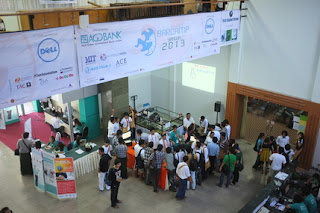
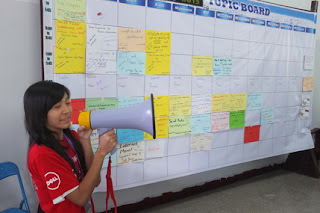
Barcamp Yangon Venue
Barcamp yangon Tech Talks
Make the web speak your language

In my talk How to become a Firefox Hacker I shared how one can leverage existing web development skills to contribute to Firefox. Mozilla Myanmar localization lead contributor Zinmin shared the Firefox localization process and gave a demo of Pootle web based translation tool. The participants were encouraged to join the Mozilla Myanmar community and localization sprint after the Barcamp Yangon.

Mozilla Myanmar localization demo by zinmin

Attending Barcamp Yangon gave me a good opportunity to keep the pulse the fast changing Myanmar. It was good to reconnect with the open source communities and meet people in technology and non-profit world. Next year I hope to attend Barcamp Mandalay, it seems to have more developer focused audience.

Ubuntu Myanmar Community

Mozilla Myanmar Localization Sprint

After Barcamp Yangon, Zinmin organized Burmese localization sprint in Yangon. The localization sprint provides hands-on training for new localizers. After a quick introduction from Zinmin and the team started translating remaining strings Firefox Aurora. The Pootle web based tool does perform well bandwidth constrained environment such as Myanmar. Zinmin cleaned up most of the translation errors that were blocking the productization of Firefox Burmese Aurora.

During the sprint, Sajal and I spent some time testing Firefox Mobile. Firefox Mobile is important in countries like Myanmar where there is a large growing mobile web users than desktop users. However due to economic sanctions Google Playstore is not available in this country. Burmese users resort to various alternative app stores to find apps for Android devices. Another problem is network latency, for instance, tweeting pictures was really difficult. We looked in how to test Android apps network latency and performance issues.

You can read more about Mozilla L10N sprint on Zinmin's blog post in Burmese and the download the latest Firefox Burmese Aurora here.

Technology Entrepreneurship and Start ups in Myanmar

Spent some time meeting various technology entrepreneurs in Yangon. Start-up incubators like Rocket Internet and few others opened shop in Myanmar. Expats and Burmese diaspora are returning to start technology start-ups. Along with opportunities from the burgeoning economy there are challenges: People with good technical skills are hard to come by, the overhead costs are really high due to inflated prices.

I hope you'll get a chance to visit Myanmar and experience its rich culture. Perhaps you might wanna join the
Barcamp Yangon next year or spend some time working I'll help you find a co-working space in Yangon.

Monday, March 4, 2013

15 Pesos Please! Flying Cebu Pacific Air

Somewhere over the ocean, en route to Hanoi on Cebu Pacific Air. I woke up with a parched mouth. Careful not wake the sleeping passengers, I whispered to the flight attendant for a glass of water. In the soft glow of the cabin lights, the flight attendant looked angelic. She said in a sweet voice '15 Pesos Please'. Cut to reality, crammed in the middle seat and my wallet safely stowed in the overhead compartment, I just couldn't believe the absurdity of it.


Forget the dancing flight attendants (See it on Youtube) and rock bottom ticket prices. Without basic services like a free glass of water, you can't expect any brand loyalty. Budget airlines do have to walk a tight rope in these trouble times, but they can't be this frugal.

What is your take on this? Share your experiences on budget airlines.

Wednesday, February 27, 2013

Mozilla Tagalog Localization Hackathon in Manila

Philippines has rich linguistic diversity. Through out its history Philippines was influenced by language and traditions of those who came in search of gold and other precious minerals. Today, you can hear smattering of Sanskrit, Arabic, Chinese, English, and Spanish in Tagalog.

Tagalog is the widely used Philippine dialect. Filipino, the National Language of the Philippines is composed primarily of Tagalog words, idioms, and phrases. Urban Filipinos are fluent in English. Traveling few hours away from Metro Manila, I noticed people preferred to speak in Tagalog.

The Mozilla Tagalog localization was kick-started by Seth Bindernagel around 2010. After a hiatus, the Tagalog localization effort now gained momentum thanks to good leadership and innovative community initiatives to encourage localization (See Help Us Translate Firefox Aurora to Tagalog & Get a Mini-Shirt). We also have new localization teams for Chavacano, Bikol and Lloko languages.

The hackathon in Manila provided me an opportunity to connect with the teams and I hope to keep this momentum going. Shared few ideas and emphasized on quality and consistence of translation. Such events are good for not only attracting new translators, but also discuss the problems in translation. The event attracted students, bloggers, technology professionals and contributors from Tagalog Wikipedia.

Talking to tagalog translators in manila

The Firefox Tagalog localization looks very promising. Came back from the hackathon with confidence that we can start productization very soon. And don't forget to join the next Tagalog Firefox Translation Marathon on April 9, 2013

Sunday, February 17, 2013

National Open Source Conference of Afghanistan (NOSCA) 2013

This week National Open Source Conference of Afghanistan (NOSCA) starts in Jalalabad, Afghanistan. The event is organized by the National ICT Alliance of Afghanistan. It will be held at Nangarhar University on February 19-21, 2013. Unfortunately I will not be able to attend this event. Please share the conference information with your friends in the region and encourage people to participate.

Building a Mozilla community in Afghanistan is on my list. During ICANN 41 Singapore I met few technologists from Afghanistan and remained in touch with them ever since. Last year we kick-started Firefox Aurora Pashto and Dari localization effort.

Communications in Afghanistan has grown considerably. Entrepreneurship is thriving despite the problems. Recently Divon Lan wrote about Afghanistan's first women technology entrepreneur on his blog.

Get in touch with me, if you want to get involved in Mozilla Afghanistan community building effort.

Monday, February 11, 2013

Firefox Responsive Design View to rescue

Here is a good example of using Firefox Responsive Design View, DOM and Style Inspector to debug web design issues. Noticed this problem with Mozilla The Den blog's site description while browsing the web with Firefox Mobile browser. Fired up my laptop to check this design issue with Firefox Responsive Design View. Then I used the DOM and Style Inspector to zero in on the CSS rule that adds this extra padding (padding-right: 340px;). Voila! It is time to send this patch to the developer.

Debugging and Fixing CSS issues with Firefox Web Developer tools

Did a screen capture of the whole process. Don't see the embedded video, you can watch it on YouTube.


Saturday, February 9, 2013

Mozilla Firefox Vietnamese Beta Released

Mozilla Firefox Vietnamese (19 Beta) was released this week. It is the culmination of my two year effort to re-animate the Mozilla Vietnamese localization team.

Building an active Mozilla community in Vietnam was the first step. Found few passionate young volunteers in the local open source community in Hanoi. Spent the next year mentoring these young volunteers into community leaders. Participation in local events attracted others to join the new Mozilla Vietnam community. Hands on Mozilla developer workshops and Mozilla localization sprints ensured that we retained most these new contributors.

Contributions to Mozilla Firefox Vietnamese localization had been stagnant since last fourteen rapid release cycles. During this period the Vietnamese Firefox had many parts of the browser untranslated thus hampering user experience of the browser. Community driven open source projects often suffer when active contributors leave. Building sustainable communities tackle this problem with new contributors stepping in to take up the reins.

Mozilla Localization community members working on translating firefox strings into vietnamese

I had been organizing Mozilla Localization sprints since August 2011. We met at the Hanoi community space, working on localization strings using web based translation software such Narro and Pootle.The localization sprints with small groups provided a good opportunity to develop localization skills of new contributors and improve the quality of translations as well.

Thanks to efforts of these Mozilla Vietnamese Localization (L10N) community members, We have a fully localized Firefox Vietnamese Beta release.

  • Trương Anh Tuấn
  • Nguyễn Hà Dương
  • Đàm Tiến Long
  • Nguyễn Phan Hải
  • Đặng Duy Thanh
  • Ngô Trung
  • Nguyên Thế Hùng
  • Tuan Zendf
  • Hakuna Matata
  • Nguyễn Vũ Hưng

Don't forget to Download Firefox Vietnamese Beta today.

Saturday, February 2, 2013

Using Firefox Remote Debugger with Firefox OS Simulator

Firefox OS App developers can use Firefox Remote Debugger to quickly fix web app bugs. In this screencast Jeff Griffiths shows the current workflow of using the Firefox OS simulator and the Firefox Nightly remote debugger developer tool.


Don't see the embedded video, you can watch it on YouTube.

You can also use Firefox Remote Debugger with Firefox OS running in a desktop emulator, on a Firefox OS device and Firefox Mobile on Android mobile phone. Head over to Mozilla Developer Network (MDN) to learn more about Firefox Remote Debugging.

Thursday, January 31, 2013

Mozilla Community Engagement in Laos

Just across the border lies Laos. This country of fun loving gentle people had a tumultuous history. I recently visited Laos for the first time to help build Mozilla community in Laos.

Writer Thomas Wanhoff lives Vientiane. He is the organizer of Barcamp Vientiane. Mozilla participated in the previous Barcamp Vientiane. Thomas helped me understand the Lao history and culture over few bottles of dark Lao beer. Lack of infrastructure and resources hampered economic growth of Laos. Development aid that poured into this country had made very little difference. Recent efforts to develop internet entrepreneurship haven't been successful. Laos is slowly overcoming these problems. The 3G mobile network provides inexpensive internet connectivity. Large construction projects can be seen in Vientiane, new roads are replacing the pot holed dirt roads.

Visited ICT Association of Laos to talk about the Mozilla mission to promote innovation and choice on the web. Presented a demo of FirefoxOS and interacted with the team of localizers who are interested in localizing Firefox in Lao.

Arky interacting with ICT Association of Laos

Also visited the ICT Center at Dang Dok Campus of University of Laos(NUoL). The university campus is connected with high-speed optic fiber network. ICT Center staff gave me tour of their new e-learning centers computer lab and digital multimedia studio and post-production facilities. The ICT center team expressed their interest to support Mozilla activities.

Now Lao web fonts are available Google web fonts (Early Access) system. This would enable Lao speakers to read localized content on computers and mobile devices that do not include Lao fonts.

The Mozilla Story with Lao Subtitles (Translated by Patthana Vilay)


Next step towards building Mozilla Lao community is get a core team organized and plan community events such as Mozilla Web Maker, Web developer events and Mozilla Lao Firefox localization sprints. Get in touch with me, if you want to get involved in Mozilla Lao community building effort.

Monday, January 28, 2013

Speeding Up Software Rebuilds with CCache

Software developers who routinely rebuild large projects would love ccache. Ccache is a compiler cache. It speeds up software rebuilds by caching the result of previous compilations and detecting when the same compilation is being done again.

I use ccache when compiling Linux kernel, Debian/Ubuntu packages, GNOME applications, Mozilla Firefox, FirefoxOS and Android operating system. You could enable ccache by prefixing ccache to your compilation command or update your system path to include ccache.


# Add the following line to your ~/.bashrc file 
export PATH=/usr/lib/ccache:${PATH}

Alternatively you could create symlinks in ~/bin directory. GNOME 3 jhbuild documentation provides a bash script for this purpose.


cd ~/bin
for cmd in cc gcc c++ g++; do
  ln -s /usr/bin/ccache $cmd
done

To take advantage of ccache while building Mozilla Firefox, append the following line to your .mozconfig.


ac_add_options --with-ccache

If you are compiling Android(ASOP), CyanogenMod or Firefox OS. Android build system includes the ccache program, set the USE_CCACHE environment variable to enable ccache.

$ export USE_CCACHE=1

Further more in-depth information, read the ccache manual page. Please do comment and share your experiences using CCache.


Tuesday, December 18, 2012

Using development builds of Firefox Nightly

Using Firefox Nightly as my default web browser lets me test the Firefox development changes every day. Firefox Nightly is built from the latest code changes in mozilla-central repository every night. You can learn more about Mozilla Firefox development builds here.

If you are interested to participate in Firefox development, it is good start to use Firefox Nightly or building Firefox from the sources. You can report new bugs you spot in development builds of Firefox Nightly. You can find simple bugs to fix and test new patches.

In this blog post, I'll explain how to install Firefox Nightly and run multiple version of Firefox on gnu/Linux computer. These instructions will also apply to other operating systems. You might need to substitute the paths to Firefox program to match your operating system.

If you are using Mozilla Ubuntu Daily PPA, You can remove those PPA packages safely with 'ppa-purge' command.

 $ sudo ppa-purge ppa:ubuntu-mozilla-daily/ppa

Firefox Nightly on gnu/Linux

Download the Firefox Nightly for gnu/Linux from nightly.mozilla.org. Uncompress the tar.bz2 archive to a directory on your computer. I usually place my programs in /opt/ partition, but you can choose any different directory.

Here is the Firefox Nightly program path /opt/Firefox-Nightly/firefox on my computer. Make sure you have write permission to your Firefox Nightly directory, otherwise you'll have problems while installing the nightly updates.

You can now launch Firefox Nightly using following command /opt/firefox-nightly/firefox -P --no-remote . The -P option starts the Mozilla Profile Manager and --no-remote starts a new instance of Firefox.

Next lets set Firefox Nightly as the default browser with update-alternatives program, this program makes changes to symlinks on Debian/Ubuntu operating systems.

sudo update-alternatives --install /usr/bin/gnome-www-browser gnome-www-browser /opt/firefox-nightly/firefox 10


$ sudo update-alternatives --config gnome-www-browser 
There are 5 choices for the alternative gnome-www-browser (providing /usr/bin/gnome-www-browser).

  Selection    Path                          Priority   Status
------------------------------------------------------------
  0            /usr/bin/google-chrome         200       auto mode
  1            /opt/firefox-nightly/firefox   10        manual mode
  2            /usr/bin/chromium-browser      40        manual mode
  3            /usr/bin/epiphany-browser      85        manual mode
* 4            /usr/bin/firefox               40        manual mode
  5            /usr/bin/google-chrome         200       manual mode

Press enter to keep the current choice[*], or type selection number: 1
update-alternatives: using /opt/firefox-nightly/firefox to provide /usr/bin/gnome-www-browser (gnome-www-browser) in manual mode.

# Launch Firefox Nightly and choose your default profile.
$ /opt/firefox-nightly/firefox -P --no-remote 

For other operating system, read How to make Firefox default on support.mozilla.org website.


How to run multiple Firefox Browsers

If you want to use multiple versions of Firefox at the same time. For example, You want to use Firefox Nightly along side the Firefox Stable version or test a localized version of Firefox for your language.

Open your system terminal and launch Firefox with following command firefox -P --no-remote and choose a different profile for this instance of Firefox.

You can learn more about Firefox Profiles here on Multiple Firefox Profiles page on Mozilla Developer Network (MDN).

Have fun testing Mozilla Firefox Nightly! Don't forget to report bugs and send patches!


Sunday, December 16, 2012

Barcamp Phnom Penh 5

Last year we kick-started Mozilla Firefox Aurora Khmer localization effort at Barcamp Phnom Penh 4. Now a year later, Thanks to efforts of Mozilla Khmer L10N team and invaluable support of several people from various organizations. We have a successful release of Firefox Khmer.

Barcamp Phnom Penh is community organized two day un-conference held in the capital city of Cambodia. Walking around Barcamp Phnom Penh at University of Puthisastra in central Phnom Penh, you'll encounter young Cambodian's engaging in social media on latest smart phones and tablets everywhere. There are numerous booths advertising smart phones, right next English language schools, Media and NGO organizations.

At Barcamp Phnom Penh 5 this year there was marked improvement in quality of talks. The technology related talks were really in-depth and encouraged participation from audience. Cambodia has good English language penetration, learning English ensures better livelihood. In country where 50% of population live below the poverty line, the Cambodian youth have an insatiable thirst for learning and making a better life. This spirit attracts me to Cambodia time and again.

Firefox Khmer, FirefoxOS and Web API

On the first day of Barcamp Phnom Penh, I talked Mozilla mission and future of Web, As a platform. The demo of development version of FirefoxOS phone was well received.

The next day Vannak ENG talked about the about Mozilla localization and walked the audience through various steps of translating Firefox. It was great to see people hanging out after the talk to interact with Vannak. Such interactions help us build a good contributor community and help keep the Firefox translations update-to-date every 6 weeks

Mozilla Khmer L10N demo

At the end of Barcamp Phnom Penh, I gave lightening talk titled '6 kick-ass things you can do with your browser'. The talk provided a whirlwind tour of Mozilla Web API and their status.

Khmer Language support in Firefox Mobile on Android 4.1 (Jelly Bean)

I met Danh Hong, the creator Khmer Web Fonts and we talked about the font rendering issues in Firefox Mobile(Bug 793474) running on Android Jelly Bean (4.x). These issues are now resolved in new HarfBuzz update (Bug 780409)

Mozilla Firefox Mobile showing Khmer page

Few other issues in Khmer language support remain. Android Jelly Bean (4.1) supports Khmer rendering well, but Khmer fonts are not shipped with Android. You need to use third party app to install them.

On Desktop computers, though high quality Khmer fonts are available for various operating systems. There is lack of proper documentation about the installation process and the license are not very clear.


Upcoming Barcamps in Cambodia

The barcamp camp team deserves a pat on the back for organizing yet another fantastic event. Next year they are organizing five Barcamps all over Cambodia.

Perhaps I'll try organize a hands-on workshop on web technologies at Hacker Space Phnom Penh or Small World Phnom Penh. If you are interested, get in touch with me.


Saturday, December 1, 2012

CyanogenMod 10 Installation on Google Nexus 7

You got a Nexus 7 tablet. Are you ready to unlock the devices true potential. In this post you'll learn how to update the Nexus 7 tablet to latest Android Jelly Bean (Android 4.1/4.2) firmware from CyanogenMod project.

These instructions are from Truong Anh Tuan and team's CyanogemMod 10 installation on Google Nexus 7 running Jelly Bean 4.2 stock firmware at recent CyanogenMod Bootcamp in Hanoi. Thank you for sharing your notes.

‏Before you get started consider backing up your tablet data using Android apps such as Titanium Backup. Alternatively you can copy the data manually by connecting the tablet to your computer with an USB cable.

Disclaimer: Installing third-party firmware will void your device warranty and if something goes wrong it could make your device unusable. The installation process will wipe data/apps, Please backup everything. You have been warned!

Prerequisites: What do you need?

Installing CyanogenMod 10 on Nexus 7 tablet

  1. Enable USB debugging mode: Go to System Settings > About tablet. Tap “Build number” seven times until you get a 'You are a developer!' dialog.
  2. Connect your device to the computer with an USB cable and copy the previously downloaded files to devices sdcard using the 'adb' program.
    
    sudo adb push recovery-clockwork-6.0.1.9-grouper.img /sdcard
    sudo adb push cm-10-20121123-NIGHTLY-grouper.zip /sdcard
    sudo adb push Google Apps.zip /sdcard
    

  3. Unlock the Nexus 7 bootloader:

    Reboot to bootloader:

    sudo adb reboot bootloader

    Unlock the bootloader:

    sudo fastboot oem unlock

  4. Install ClockWorkMod(CWM) Recovery:
     sudo fastboot flash recovery recovery-clockwork-6.0.1.9-grouper.img
  5. Install CyanogenMod 10 Nightly Build and Google apps
    1. Select wipe data/factory reset.
    2. Select Install zip from sdcard and choose Cyanogenmod 10 Nightlies.zip file
    3. Select Install zip from sdcard and choose Google Apps.zip file

That's all folks!. Reboot your tablet and if everything goes well, the Nexus 7 will boot into CM10. Don't forget you can automatically download and install nightly builds via CyanogenMod OTA update feature.

For more information, Please read the original blog post and Unlock, Root & Install Cyanogenmod 10 Nightlies guide.

Sunday, November 25, 2012

CyanogenMod Bootcamp in Hanoi

Back in Hanoi after a long trip, it is time to do yet another hack event. This weekend I organized an CyanogenMod Bootcamp. If you haven't heard about CyanogenMod project, it is an aftermarket firmware for a number of cell phones based on the open-source Android operating system.


We got two Samsung Galaxy S2 mobile phones and a Nexus 7 tablet to work with at the bootcamp. The goal was to try to install CM10 Android Jelly Bean on devices without bricking them. The three teams worked in parallel and jotted down their notes on etherpad.


Before you start, Understand the basic terminology. Now Get, Set .. Go!

Nexus 7 running CM10 Android Jelly Bean


Samsung Galaxy S2 I9100 running CM10 (Nightly release)


Samsung Galaxy S2 I9100G running Android 4 Jelly Bean CM10 (Stable release)


Keep watching this space for detailed instructions on how to install Android 4.0 Jelly Bean on these devices.

Monday, October 22, 2012

Kinect-Powered Interactive Ads Display System

Spotted this interaction Ads display in a shopping mall in Warsaw. Watch the video here


Marketed by Lemon & Orange, this Kinect powered gesture controlled interaction display shows talk bubbles with products over the heads of shoppers walking by.


It is a nice hack. No, it doesn't read minds.

Friday, July 13, 2012

GNOME Asia Summit 2012, Hong Kong


The city of Hong Kong hosted the Gnome Asia Summit this year. GNOME is a popular open source desktop environment for gnu/Linux Operating System. This annual event attracts people from diverse open source communities across Asia.

GNOME Asia Summit kicked off with the pre-event GNOME Design Workshop. The workshop helped GNOME contributors and developers understand GNOME environment design process. The workshop was intended for novice and experience UX designers, graphic artists and experienced desktop users.

Arky interacting at GNOME-Asia 2012, Photo Credit: Sammy

The usability of the Open Source desktop environments has always left something to be desired. The keynote talks at the event delivered by GNOME Developers were very interesting. The GNOME community which was mired by conversation and dissent. Recently the developers revamping the software under the 'Every Detail Matters' initiative. Efforts to bring new UX paradigms into GNOME are also in full swing. Check out the GNOME team mock-ups here.

3D software used to create eye-popping prototypes. Don't believe me, check out this YouTube video Channel.


Graphical User Interface's visual elements such as icons, graphics are being re-designed. You can look at the latest icon theme from the GNOME project here. Graphic designers can use Inkscape and Blender to create high-quality visual graphices. You can download the basic symbolic gnome icon set from here.

In the last few years, Javascript programming language had become very popular. Today applications written in Javascript are just as fast as native applications. Gnome-shell window manager is written using Javascript, thanks to GObject Introspection libraries such as Gjs and Seed. This means you can use your web development skills to enhance and extend your GNOME Desktop functionality.

The Gnome-shell add-ons is integrated closely with the Gnome Extensions service. It lets you share your extensions easily, search and enabling new features is a breeze.

The summit also featured talks related to teaching Open Hardware concepts, Gnome Accessibility, Community development and Gender equality in Open Source communities and Localization tools and GNOME predictive text input system


Monday, June 25, 2012

Startup Investment Hour in Hanoi

Opportunities abound for those who think big in Vietnam. Recently 5Desire, a local startup accelerator organized Startup Investment hour. The event attracted a large gathering of young bright eyed entrepreneurs in Hanoi City.

Arky, Pham Le, a Japanese Investor at the event

After some informal social networking over a cup of coffee. The event kicked off with an interactive session on investment opportunists for startups in Vietnam. Four startups did elevator pitches and fending some real hard questions from the investor panel and the audience.

Startup culture in this booming economy is still in its infant stage. Events like do help young entrepreneurs learn more about the opportunities startups with some great ideas.


View more pictures from the event on 5Desire page

.

Monday, June 11, 2012

Buying Arduino in Hong Kong


Didn't expect it would be so hard to buy Arudino open source prototyping platform hardware in Hong Kong. On a brief stopover in Hong Kong to attend Gnome Asia 2012. It would take a lot of time to hunt for Arduino boards in Hong Kong's famed electronics markets. It would be wise to do some homework before hitting the markets.

Got a lucky break while digging through the Dimsum Labs facebook page. Found the Candy Chan's shop address in Sham Shui Po in Kawloon. The shop's website lists all the Arduino boards, shields and various electronic components. Navigating the maze of shops in Sham Shui Po is not for faint hearted. You won't have any problems finding these shops with the direction given below.


  • Tell How Technologies

  • G37, Wonder Building, 161-175 Fuk Wa Street, Shamshuipo, Kawloon, Hong Kong
  • Phone: 27427881 / 68085307 / 86-15012528870
  • Email:tellhow37 (at) yahoo (dot) com (dot) hk
  • Website: www.tellhow-tech.com

Take the MTR to the Sham Shui Po station, exit through Gate D2 on to Fuk Wa street. You will find yourself facing the Golden Computer Center, the Wonder building is on your right. You will find the shop on the ground floor of this building.

Stumbled upon Man Wai-Yun's shop that offered a large collection of sensors, kits from DFRobot.com. You need to wait few days for the components to be shipped in from Taiwan.

  • Rainbow Computer Peripherals

  • LG No.60, Golden Building 146-152 Fuk Wah Street, Kawloon, Hong Kong
  • Phone: 2728-1819
  • Email: info (at) abcde (dot) com
  • Website: www.rcpcomputer.com

The shop in the basement level of the Golden Computer Center. The best way to find the shop would be to ask the guard at security desk to guide you to the shop No. 60.

It is easy to find open hardware online but finding a shop that stocks them would be really hard. Next time I'll buy the open hardware online at DealExtreme.com .

Friday, June 8, 2012

Hanoi Co-Working Space Now Open

Good news for digital nomads around the world. Hanoi now has a co-working space. 5Desire startup incubator and consulting company helped us create this co-working space. Register here and come prop yourself up on a couch for free!.

If you are feeling generous we could definitely use some money for a dedicated high-speed Internet connection and a coffee machine.


Hanoi Co-Working Space: How came to be ?

I had moved to Vietnam two years ago. Had been looking for a co-working space in Hanoi ever since. Working out of bedroom at night and coffee shops by day just works, but soon you'll start craving for some company of your own kind. Finally after a year of work the co-working space is now a reality. A big hug to all my friends in Vietnam and across the world for all the support.

Barcamper Preetam Rai once shared his vision of building a inter network of hackerspaces, co-working spaces and startups across South East Asia. These spaces could be a harbinger of innovation, exchange of ideas and foster new startups.

Leave a comment and let me know what you think?

Thursday, May 24, 2012

Ideas for Improving Locale Management in Firefox

Mozilla Firefox Localization project spans 90+ languages across the planet. If you haven't used Firefox in a different language, try downloading a language pack and change Firefox user interface language by editing general.useragent.locale preference setting using about:config. Captian Caveman created an easy to use Quick Locale Switcher Firefox addon for this purpose.

In this post, I'll explore some ideas to improve the locale management experience inside Firefox. The idea adds unified search, installation and language switching capabilities to Firefox Language panel. You will find Firefox Language panel under Tools > Addons menu. Currently the language panel on Firefox Nightly build looks like this.


Firefox Languages panel

Firefox Language Panel Mockup

The mockup below describes searching, installing and switching locales workflow. This is similar to existing Firefox Add-ons workflow.


Firefox Language Switching Workflow

  • Enable Firefox Language Tab:Make Tools > Languages visible at all times. Currently Firefox hides this dialog when no language packs are installed.
  • Switch Firefox Default Language: Default Language Switch button "Default Language is 'English (US)', Do you want to change the language of Firefox?"
  • Search Languages: Modify search box to limit search to language packs on addons.mozilla.org.
  • Language Management: Provide Switch Locale toggle button next to each installed language pack.
  • Switch Language for this session only:Allow users to switch locale for this session only.
  • Get New Language: List download-able Locale packs on the main screen.

Please share your thoughts, suggestion and criticism using the comment form below.

If you are a Firefox hacker looking for something new to hack on, this is your lucky day! .

Sunday, May 20, 2012

Samsung Galaxy S2 Accessories For Presentations

In this post we'll explore some effective presentations techniques using Samsung Galaxy S2 accessories. Use the Droid@Screen (See this blog post) program to display the mobile phone screen on my computer during my presentations. This program works by taking a continues series of screenshots of the phone screen. There are some problems with this design, there is noticeable delay during application interaction and the video performance is not great on my Lenovo X120e Ubuntu computer.

You can not demonstrate audio and video capabilities of the mobile phone using such software. Planning to give a talk about using Firefox Mobile with Android 4 screen-reader and existing solutions doesn't work for me.

Samsung Galaxy S2 HDTV Adapter

This adapter allow you to plug in your phone directly into HDMI large displays and digital projectors. The mobile phone AC charger powers the adapter and no additional audio cable is needed. The Samsung HDMI adapters are available for Samsung Galaxy phones and tablet models.

This works really great if you are planning to setup large screen display in a exhibition booth. Connect the phone to large screen display with HDMI cable and play your video demo in a loop.


Samsung Galaxy S2 Power Pack

The Samsung Power Pack comes handy when phone runs out of battery in the middle of the presentation. It does extend the battery life of the phone during the presentation or an extending application testing session.

Few caveats using these accessories. The HDMI adapter will not work when the phone is attached to the power pack .

This power pack has some issue with power sensing, sometimes it starts and stops charging with annoying beeps every 10 seconds. And you need to press locking mechanism tight to get the phone to charge. Hope someone at Samsung fixes this problem.


Popular Posts